
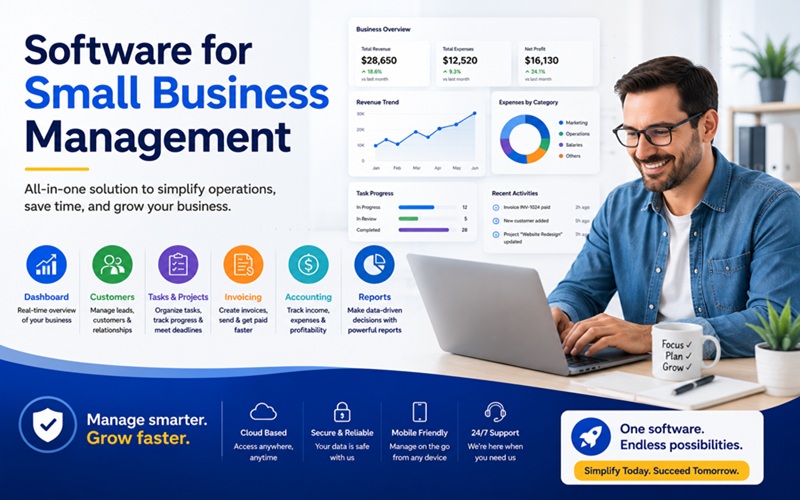
Running a small business in 2026 without the right software is a bit like trying to navigate a city without a map. You can do it, but you spend far more time and energy than necessary, miss things you should not miss, and arrive at your destination later than you needed to. The difference between small business owners who feel perpetually overwhelmed and those who feel genuinely in control of their operations often comes down to one thing: whether their software is working for them or whether they are working around their software.
The market for small business management software has never been more competitive or more confusing. Hundreds of tools claim to be the one solution that will transform your operations. Some genuinely deliver on that promise. Many do not. The key is understanding which categories of software address which operational problems, which tools in each category are genuinely worth using, and how to build a coherent technology stack rather than a collection of disconnected subscriptions.
What Small Business Management Software Actually Covers
The term small business management software is broad enough to cover nearly every digital tool a business might use, from accounting to scheduling to customer relationship management. For practical purposes, it is more useful to think in terms of functional categories, each addressing a specific operational domain, and to build your software decisions around which of those domains represents your biggest current inefficiency.
The core categories most small businesses need to address are financial management and accounting, customer relationship management, project and task management, human resources and payroll, marketing and communication, and in businesses that handle physical goods, inventory management. Some businesses will also need industry-specific tools for scheduling, point of sale, field service management, or e-commerce operations depending on how they operate.
The most important principle in building a small business tech stack is integration. Software tools that do not talk to each other create data silos, manual reconciliation work, and the exact kind of administrative overhead that software is supposed to eliminate. A CRM that does not connect to your accounting system means manually transferring customer data. An HR platform that does not connect to payroll means duplicated data entry and higher risk of errors. Every tool you add to your stack should connect meaningfully to the others, or the cumulative overhead of managing multiple disconnected systems quickly outweighs the benefit of any individual tool.
Accounting and Financial Management: The Non-Negotiable Foundation
Every small business needs capable accounting software, and the two names that dominate this category are QuickBooks Online and Zoho Books, each serving a meaningfully different profile of business.
QuickBooks Online remains the most widely used accounting platform for small businesses in the United States, serving millions of users across virtually every industry. Its greatest strengths are the depth of its accountant collaboration features, its integration with a vast ecosystem of third-party applications through the QuickBooks app store, and its payroll capabilities through Intuit’s own payroll product. For businesses that work closely with an external accountant or bookkeeper, QuickBooks is often the default choice precisely because most accounting professionals are fluent in it. The platform starts at $35 per month for the Simple Start plan and reaches $235 per month for the Advanced tier, with meaningful features like inventory tracking and project profitability locked behind higher-priced plans.
Zoho Books has quietly become one of the most compelling values in small business accounting, particularly for businesses already using other Zoho products. It offers a genuinely functional free plan for very small businesses and freelancers, and its paid tiers are priced significantly below QuickBooks for equivalent feature sets. Zoho Books integrates seamlessly with the broader Zoho ecosystem, which is a significant advantage for businesses that use Zoho CRM, Zoho Payroll, or other tools from the same suite. Where QuickBooks has broader third-party integrations and stronger name recognition with U.S. accountants, Zoho Books wins decisively on price-to-value for micro and small businesses that do not need the full QuickBooks ecosystem.
CRM: Turning Customer Relationships Into a Managed Asset
Customer relationship management software is the tool that transforms how you track leads, manage client interactions, and grow revenue from your existing customer base. Without a CRM, customer information lives in email inboxes, spreadsheets, and individual memory, which means it gets lost when team members are unavailable and does not generate the organized insight that drives proactive sales and retention.
As HubSpot’s resource library on CRM for small businesses explains, a well-implemented CRM centralizes every customer interaction, tracks where each lead sits in your sales process, automates follow-up communications, and gives you a clear view of your pipeline so you can forecast revenue and prioritize your team’s time. HubSpot’s free CRM tier is one of the most frequently recommended starting points for small businesses because it provides genuinely useful core functionality at no cost, making it possible to build the habit of CRM usage before committing to a paid plan.
For businesses that want an all-in-one approach rather than a dedicated CRM, Zoho One provides access to over 45 integrated business applications, including a full CRM, for $37 per user per month billed annually. That pricing makes it one of the most cost-effective comprehensive business management solutions available, particularly for teams of five to twenty people who need consistent tools across sales, marketing, operations, and accounting without managing a dozen separate vendor relationships.
Project and Task Management: Making Work Visible
Small businesses often underinvest in project management software because the need is not always obvious when a team is small enough that everyone can stay coordinated through conversation. The problem is that as the business grows, or as the volume and complexity of work increases, coordination through conversation becomes a source of missed deadlines, duplicated effort, and unclear accountability that no conversation can fully address.
ClickUp has emerged as one of the most versatile project management tools for small businesses in 2026, offering a flexible workspace that can be configured for everything from simple to-do lists to complex multi-project operations with dependencies, time tracking, and reporting. Its free tier is genuinely usable for very small teams, and its paid plans start at reasonable price points for businesses that need more capability.
Monday.com and Asana are strong alternatives that prioritize visual clarity and ease of adoption, making them particularly well suited for teams that include non-technical members who need to be able to use the tool immediately without significant onboarding time. Trello remains a popular choice for teams that prefer a simple, card-based workflow view and do not require the more complex features of enterprise-oriented platforms.
The key consideration in choosing project management software is not which tool has the most features. It is which tool your team will actually use consistently. A simpler tool that gets adopted fully is more valuable than a sophisticated platform that people avoid because it feels too complex.
HR and Payroll: Protecting Your People and Your Compliance
Human resources and payroll software becomes essential the moment a small business hires its first employee, and many business owners underestimate the compliance complexity that comes with employment. Payroll tax calculations, benefits administration, time and attendance tracking, onboarding documentation, and compliance with state and federal employment regulations all require consistent, accurate processes that are genuinely difficult to manage manually.
Gusto has established itself as one of the most highly regarded payroll and HR platforms specifically designed for small businesses, offering automated payroll processing, direct deposit, tax filing, benefits administration, and onboarding tools in a product that is specifically calibrated for businesses without dedicated HR staff. Its pricing starts at $40 per month plus $6 per person per month, making it accessible for businesses with even a handful of employees.
For businesses that have already committed to the Zoho ecosystem, Zoho People and Zoho Payroll provide integrated HR and payroll capabilities that connect seamlessly with Zoho Books and Zoho CRM, reducing the data management overhead of running separate platforms for each function.
Marketing and Communication Tools
The marketing software category has expanded dramatically with the growth of email marketing, social media management, and marketing automation, and for small businesses the risk is spending more time managing marketing tools than actually doing marketing.
For email marketing, Mailchimp remains the most commonly used entry-level platform, with a free tier that covers up to 500 contacts and basic email campaign functionality. As businesses grow their lists and need more sophisticated automation, HubSpot’s Marketing Hub and ActiveCampaign offer significantly more powerful automation capabilities at competitive price points.
For internal communication, Slack has become the de facto standard for team messaging in businesses of virtually any size, replacing email for the kind of quick, contextual communication that does not need a formal inbox. Its free tier covers basic messaging for small teams, and its paid plans add features like extended message history and more robust integrations with project management and other business tools.
Choosing Your Stack: Start With Pain Points, Not Features
The most common mistake small business owners make when evaluating management software is starting with a list of features and trying to find tools that match them. The more productive approach is to start with a clear-eyed assessment of where your current operations are most painful, where time is being lost to manual work, and where information is falling through the cracks.
A business that is losing track of customer follow-ups needs a CRM before it needs anything else. A business whose owner spends hours each week on manual bookkeeping needs accounting software before any other tool. A business where project deadlines are regularly missed needs project management software as its first investment.
Start with the one or two tools that address your most pressing operational problems, get your team using them consistently, and then expand your stack methodically as additional needs become clear. A small, well-integrated tech stack that your team actually uses will always outperform an elaborate collection of tools that gets adopted inconsistently and never delivers on its potential.